Advertisements
Okay, so I’ll admit it—I spent way too many hours swinging around New York City in Spider-Man 2, completely ignoring the main story because I was obsessed with finding every single photo spot. My wife literally walked in on me hanging upside down from a virtual building for like 20 minutes trying to get the perfect angle of the Brooklyn Bridge! But here’s the thing: those photo challenges aren’t just busywork. They’re actually a super clever way Insomniac Games gets you to really see their incredible recreation of NYC.
The photo mode in Spider-Man 2 is honestly one of the best features, and hunting down all those landmark locations became this weird passion project for me. I’m gonna share what I learned the hard way, so you don’t waste hours like I did.
Understanding the Photo Challenge System
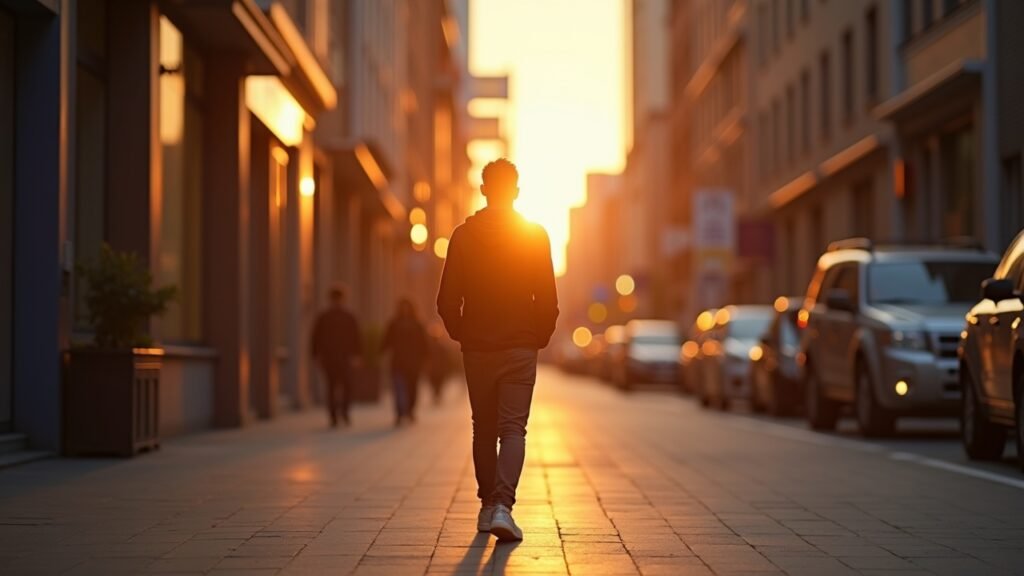
First things first—the photo challenges in Spider-Man 2 work a bit differently than the first game. You’re not just snapping random pics anymore. The game wants you to find specific landmarks, and honestly, some of them are pretty obscure. I totally missed the Insomniac Games building on my first playthrough because I wasn’t paying attention to the objective markers properly.
Each borough has its own set of photo ops. Manhattan obviously has the most, but don’t sleep on Brooklyn and Queens—they’ve got some genuinely beautiful spots that I almost skipped.
Essential Manhattan Photo Spots You Can’t Miss
Let me tell you about my biggest facepalm moment. I spent an entire evening searching for the Chrysler Building photo spot, swinging past it probably fifteen times before I realized I needed to be at a specific height and angle. The game doesn’t always make it super obvious where you need to position yourself, which is both frustrating and kinda realistic, I guess?
Here’s what worked for me:
- The Empire State Building is pretty straightforward—just get to the observation deck area
- Times Square requires you to be at street level, not swinging above it (learned that one the hard way)
- Central Park’s Bethesda Fountain needs you to approach from the south side
- The Statue of Liberty is visible from multiple points, but the game wants a specific Brooklyn vantage point
Pro tip: use your photo mode’s zoom feature way more than you think you need to. I was being stubborn about it at first, wanting “authentic” shots, but the game literally designed certain photos to require zoom.
Brooklyn and Queens Hidden Gems
Brooklyn was where I actually started having fun with this instead of treating it like a checklist. The Brooklyn Bridge photo spot is iconic, sure, but there’s this smaller location near the waterfront—Pebble Beach—that absolutely nobody talks about. I stumbled on it completely by accident while chasing a random side mission.
Queens has fewer photo locations overall, but they’re spread out in annoying ways. The Unisphere in Flushing Meadows Corona Park is cool, and there’s something satisfying about recreating those classic Spider-Man comic book moments in that area. Just make sure you’re checking your map regularly because I definitely wasted time searching areas I’d already covered.
Technical Tips That Actually Matter
Okay, here’s where I got a bit nerdy. The photo mode has all these filters and settings that seem unnecessary at first, but they can help you spot landmarks better. I started using the black and white filter to reduce visual clutter when I was searching crowded areas, and it genuinely helped.
Also—and this might seem obvious now, but it wasn’t to me—the photo challenges don’t require you to take “good” photos. Like, composition doesn’t matter. You just need to frame the landmark correctly. I was trying to be all artistic about it, which was wasting my time.
Common Mistakes I Made (So You Don’t Have To)

I had this phase where I thought certain photos were glitched because they weren’t registering. Turns out I was just being impatient. Sometimes you need to hold the position for a second or two. The game isn’t always instant with its recognition system.
Another thing: don’t ignore the photo challenges that seem “too easy.” I skipped a few thinking they’d complete automatically during story missions, and then had to backtrack later. Just do them when you find them, trust me.
Your Photography Adventure Awaits
Look, hunting down all these photo locations definitely became an obsession for me, but it also made me appreciate how much detail Insomniac put into their version of New York. Some of these spots are recreated so perfectly that it’s kinda mind-blowing. Whether you’re a completionist like me or just want to see the coolest parts of the virtual city, the photo challenges are worth your time.
Just remember to actually enjoy the process instead of stressing about getting everything perfect. Save frequently (learned that lesson after losing progress), and don’t be afraid to use guides when you’re genuinely stuck—there’s no shame in it.
Want more gaming tips, tricks, and the occasional confession about spending too much time on virtual photography? Head over to Glitch Lane where we’re always geeking out about stuff like this. We’ve got tons of other guides that might save you from making the same silly mistakes I did!